
Fursona Maker
A fursona maker built on fandom choices: species, fur colors, markings and outfit. Your first three full-body characters are free, with no sign-up.
Art Style
Species
Gender
Fur Colors
Markings
Outfit
Result
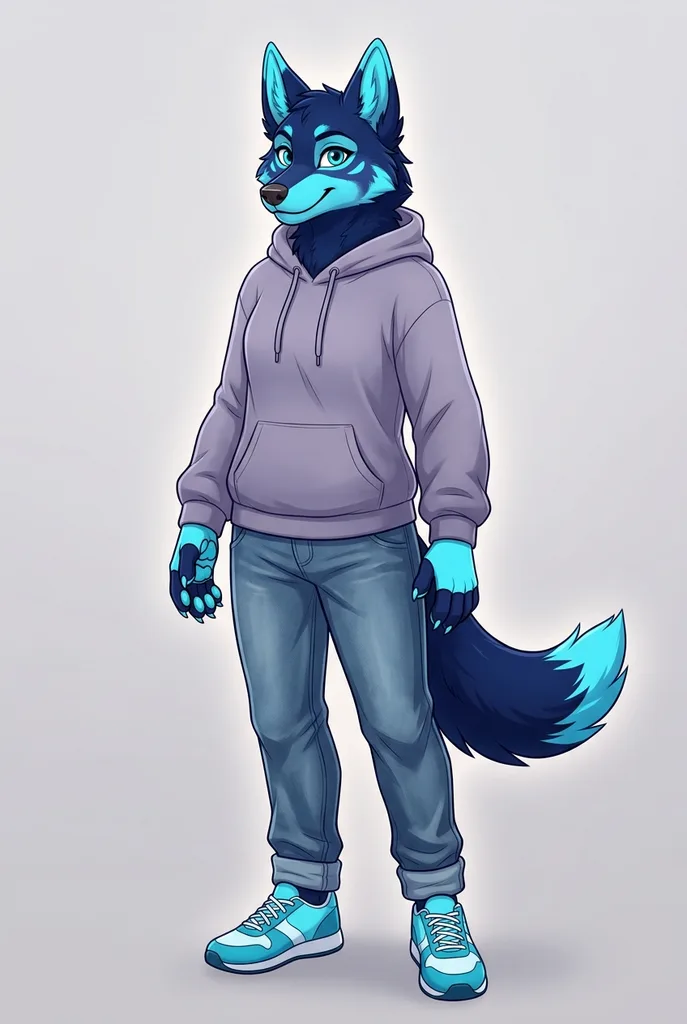
Example result. Pick your options to make yours.
Examples
How to use the fursona maker
Six rows of buttons, one optional description box, one full-body image.
- 1
Pick a species and a style
Choose from eight species, from wolf and fox to red panda, deer and dragon. Then pick Digital Art, Toony, Semi-Realistic or Chibi.
- 2
Set fur colors and markings
Pick a two-tone palette such as Midnight & Cyan or Orange & Cream. Then add a marking: socks, face mask, spots, stripes, glowing lines or freckles.
- 3
Dress your sona and add details
Choose an outfit, from a hoodie to techwear or an adventurer's cloak. Use the optional box for a name, accessories or personality.
- 4
Generate and save
Your character arrives as one PNG, usually in 20 to 40 seconds. Download it right away, because there is no gallery to come back to.
Why this furry maker fits fursona design
This fursona maker uses the fields furries mention when they describe a sona, not a generic prompt box.
Markings have their own row
Socks color the hands, feet and tail tip together, the way many ref sheets show them. Face masks, spots, stripes, glowing lines and freckles are one click each.
Full body, tail included
Every result is a 2:3 portrait, and the prompt asks for ears to feet with the tail in view. Most of the time you judge the whole silhouette, not just a headshot.
Family-friendly prompts; ages 13 and up
The prompt asks for clothed characters and rules out nudity and gore, whichever style you pick. The site itself is meant for ages 13 and up.
Nothing to install
It runs in the browser on a phone or a desktop. No .exe file, no Android-only app, no layer files to unpack.
Tested before launch
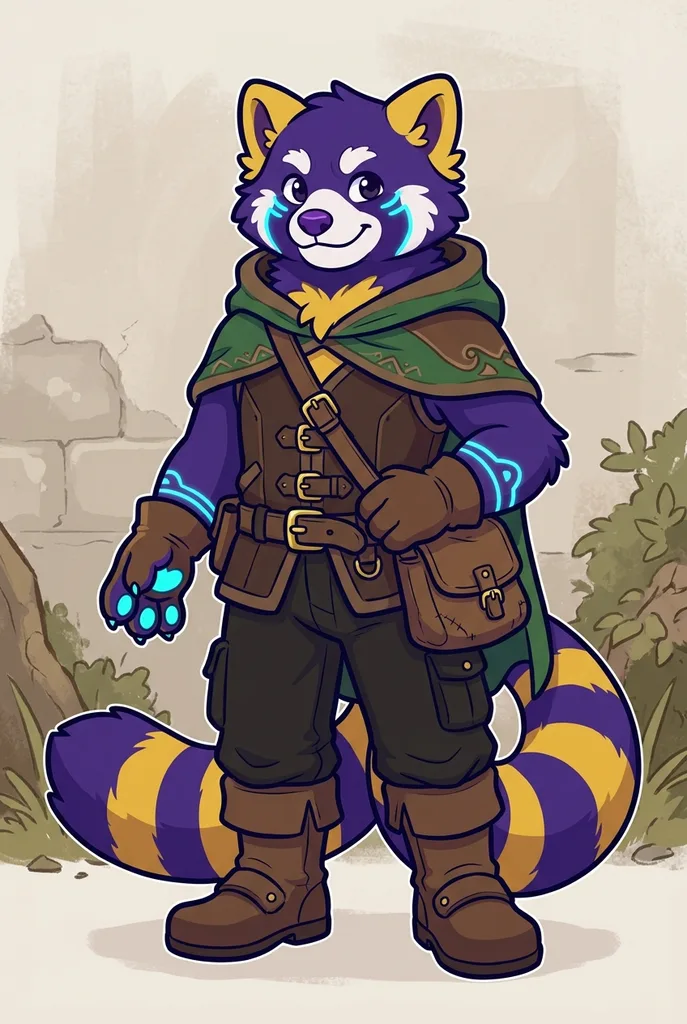
We ran the default wolf and a toony red panda through the tool before launch. Both images appear above as the examples, exactly as they came back.
Fursona maker vs dress-up makers and commissions
Four common ways to get a first look at a new character.
| This fursona maker | Picrew-style dress-up makers | Downloadable creators | Commissioning an artist | |
|---|---|---|---|---|
| How it works | Pick options, AI draws a new image | Stack one artist's pre-drawn layers | Mix body parts in a desktop app | Brief an artist, review sketches |
| What you see | Full body with tail | Often a bust or an icon | Full body in a fixed pose | Whatever you order |
| Species | 8 presets plus your description | Set by each maker's artist | Set by the part library | Anything |
| Art style | 4 styles to choose from | The maker's style | One built-in style | The artist's style |
| Cost | Three characters free, no sign-up | Usually free | Often free | Paid, priced by the artist |
| Use of the image | Personal and fandom use suggested | Each maker sets its own rules | Set by the developer | Agreed with the artist |
| Best for | Seeing a look fast | A cute icon | Building from parts offline | The final ref sheet |
What to do with art from the fursona maker
Places where one front-facing, full-body image already does the job.
Profile picture
Crop the face out of the full-body image for a Discord, Telegram or forum avatar.
Commission brief
Show an artist the species, palette and marking placement you want instead of describing them in a long paragraph.
Ref sheet starting point
Use the front view as a base, then write down eye color, marking placement and fur colors beside it.
Roleplay and stories
Give your character a face before a Discord roleplay, a tabletop campaign or a short story.
Fursuit concept
See how a palette and a marking set read on a whole body before you talk to a suit maker.
Should you use AI for a fursona?
Plenty of furries prefer hand-drawn art, and many artists dislike AI images. A fursona maker like this one works best as a sketchpad: a quick way to check whether a species, a palette and a marking set feel like you before you spend money.
For a final ref sheet, a con badge or anything you want to sell, commission an artist and hand them the image as a reference, not as finished work. Tell them it was AI-made. In some countries a purely AI-made image has no copyright protection, so a drawn version is also the one you can truly own.
Tips for a better fursona generator result
How to choose the options and what to write in the description box.
- Pair a palette and a marking with contrast, such as Gray & White with a face mask, so the pattern stays visible.
- Use the description for what the buttons can't set: eye color, hair tufts, piercings, a scarf or a held item.
- Put the detail you care about most at the start of the description; the box takes up to 300 characters.
- Describe one character only. A partner or a pet adds a second figure that the frame isn't built for.
- For a hybrid, pick the closer species and add the other animal's ears, horns or tail in the description.
- Choose Chibi for icons and stickers, and Semi-Realistic when you want fur texture for a commission reference.
- Leave out real names, addresses and other personal details, because the text goes to the AI model as written.
What the fursona maker costs and keeps
Three free characters
Every visitor gets three fursonas free for life, with no account and no credit card. There are no paid plans at the moment.
No uploads, no training
You never upload a photo. Your description goes to the AI model only to draw your image and is not used to train models.
Save it yourself
You get one PNG per run. The AI provider keeps it only for a while and there is no gallery on the site, so download it as soon as it appears. Generation records are kept as our Privacy Policy describes.
Family-friendly output
The prompt asks for a clothed character with no nudity, gore or blood, whatever style or outfit you pick.