DnD Character Creator
A DnD character creator for the picture on your sheet: pick race, class and gear colors, get a full-body hero. Your first three are free, no sign-up.
Art Style
Race
Class
Gender
Gear Colors
Result
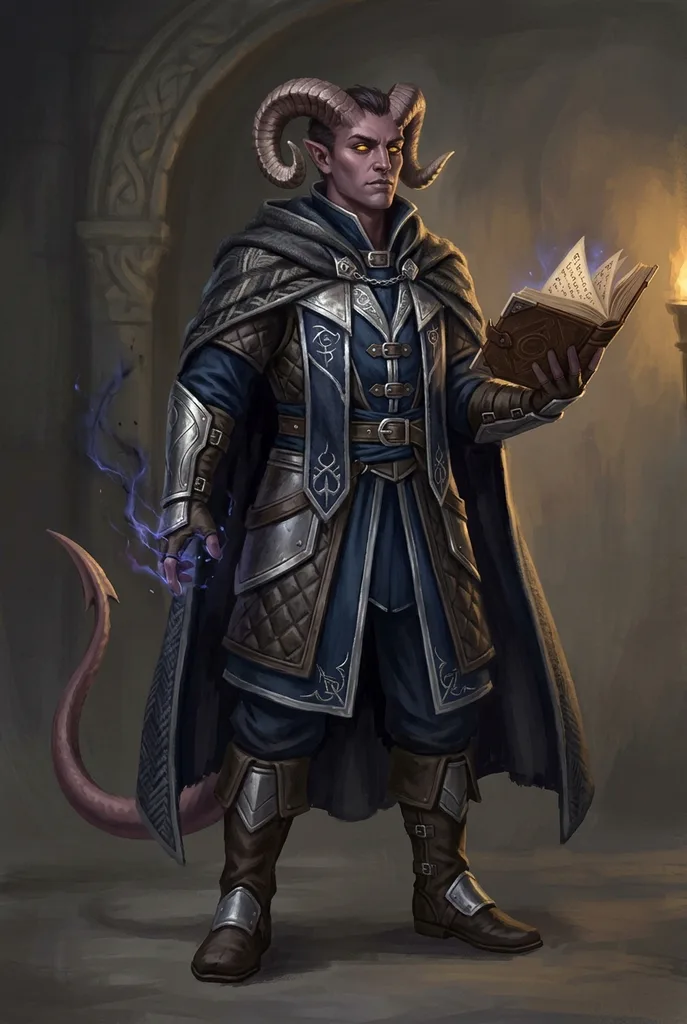
Example result. Pick your options to make yours.
Examples
How to use the DnD character creator
Five rows of choices and an optional note. The rules side stays in your builder.
- 1
Pick an art style
Sourcebook gives a painted rulebook look. Anime Fantasy, Comic Book and Watercolor suit tables with a lighter tone.
- 2
Choose a race
Eight options: tiefling, human, elf, dwarf, halfling, dragonborn, half-orc and gnome. Each one carries its own visual tells, like horns or tusks.
- 3
Set class, gender and gear colors
Ten classes from fighter to druid decide the armor, weapon and props. Pick one of six gear palettes, then add a name, a scar or a familiar in the note.
- 4
Generate and download
One PNG of your character arrives, usually within half a minute. Save it right away, since there is no gallery to come back to.
What this D&D character art generator gets right
Race and class are separate rows, so the picture follows the choices on your sheet.
Race tells built in
The prompt spells out each race's tells: large curved horns, a tail and solid gold eyes for tieflings, braids for dwarves, bare feet for halflings, small tusks for half-orcs, bronze scales for dragonborn.
Class decides the gear
The class row asks for matching gear: an eldritch tome with arcane glow for a warlock, a holy symbol and mace for a cleric, a gnarled staff and a small animal companion for a druid, a lute for a bard.
Full body, head to boots
Every result is a 2:3 portrait, and the prompt asks for the whole figure in frame so armor, cloaks and weapons stay visible; check the edges before you use it. Crop it down for a token or avatar.
Art only, no rules math
It draws your character and leaves ability scores, spells and hit points to your rules builder. Use both side by side.
Checked on real runs
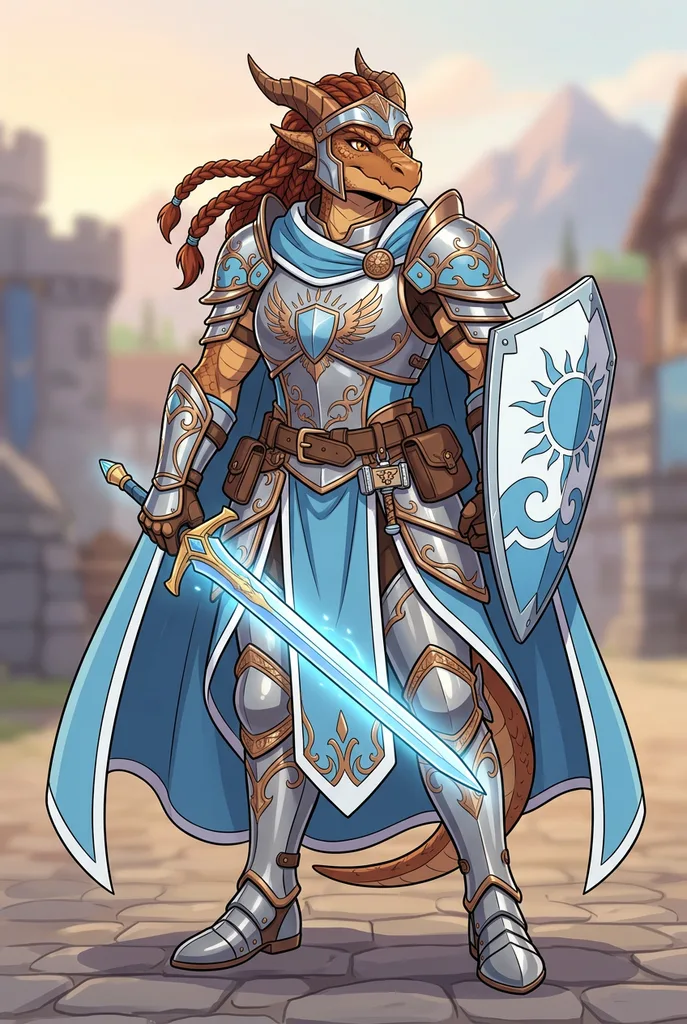
Before launch we ran a tiefling warlock and a dragonborn paladin through the tool; both appear above as the examples. The dragonborn test drew a tail it shouldn't have, so check race details before you keep one.
DnD character creator tools compared
Most players use more than one. Here is what each kind of tool gives you.
| This art creator | Rules-based builders | 3D miniature makers | Commissioning an artist | |
|---|---|---|---|---|
| What you get | One full-body illustration | A playable sheet with stats | A 3D model or printed mini | Hand-made art to your brief |
| Stats and spells | No | Yes, rules-checked | No | No |
| Art styles | Sourcebook, anime, comic, watercolor | Little or no art | One 3D look | The artist's style |
| Time to a first look | Usually under a minute | As long as the build takes | As long as you spend posing | Varies by artist |
| Cost | Three free, no sign-up | Varies by builder | Varies by maker | Paid, priced by the artist |
| Best for | Seeing your hero before session zero | Playing the character | Tabletop minis | A final portrait to keep |
Where to use your D&D character art
One plain-background image covers most table needs.
Character sheet portrait
Drop the image into the portrait box of a printed or digital sheet so the party knows who is talking.
VTT token
Crop to the head and shoulders for a round token. A full figure gets too small to read on a battle map.
Session zero intro
Show the table your character before play starts, so everyone can describe their hero the same way.
Campaign Discord
Use it as a server avatar or pin it in the character channel next to the backstory.
DM previews
Give a recurring NPC or a villain a face before the players meet them. Use the note for a quirk such as an eye patch.
Commission brief
Hand an artist the image with the two or three details you would miss most. It says more than a page of backstory.
AI character art at your table
Many players and artists in the tabletop community prefer hand-made art, and some tables ask players to skip AI images. Ask your group first, especially for a shared campaign server.
This DnD character creator is best as a quick visual: a face for your sheet, a token, or a reference for an artist. For a portrait to frame, an adventure you plan to publish or anything you sell, commission an artist. Commercial use of these images is at your own risk, and in some countries a purely AI-made image has no copyright protection.
Tips for better art from the DnD character creator
How to pick the options and what to put in the optional note.
- Lead the note with the one detail you would miss most, such as a chipped horn or a cracked crystal pendant.
- Keep the note under 300 characters and to one character; each image holds a single hero.
- Use the note for what the rows can't set: hair, scars, age, a familiar, a signature weapon.
- Pick gear colors that match your character's oath, patron or faction, such as Crimson & Gold for a paladin.
- Playing a race that isn't listed? Choose the closest one and describe the difference, like gills or feathers.
- Choose Sourcebook for a rulebook feel at the table, Watercolor or Comic Book for a lighter campaign.
- Check race details before you save: horns, tusks, ears and tail are what players notice first.
Costs, limits and fan status
Three free characters
Each visitor gets three characters for life, with no account and no card. There are no paid plans right now.
Unofficial fan tool
Not affiliated with or endorsed by Wizards of the Coast or Dungeons & Dragons. The name only describes the fantasy style, and no official art or logos are used.
Save the image
You get one PNG per run. There is no account or gallery, and the AI provider holds the file only for a while.
What happens to your note
The note goes to the AI model as written to draw your character and is not used to train models. Keep real names and personal details out.